
Do you hear people talk about using a 900p resolution but you can't find it in your settings?
Well, you need to manually create the resolution.
Ally Companion will walk you through how to create a 900p resolution.
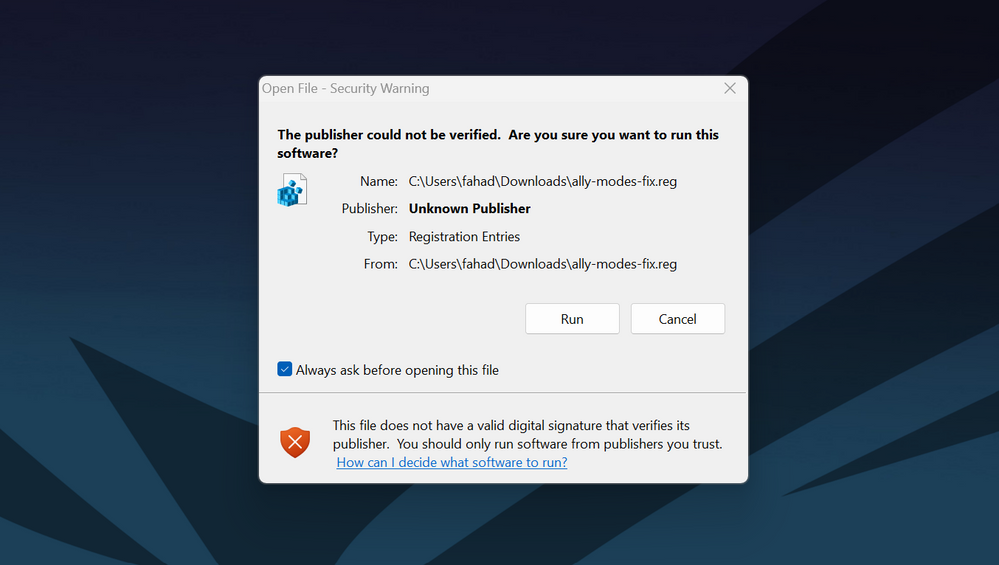
Boom, now you're done.
Enjoy your higher fps and not that bad screen resolution.
Check out our other posts we've written for the ROG Ally:
But, Ally Companion also write about the latest news, game settings, accessories, & more.

While the main attraction of the ROG Ally lies in its capacity to download and play games directly on the device, its Windows platform opens up even more possibilities.
With Xbox Cloud Gaming, you can effortlessly access a vast library of games.
Simply launch the Xbox app or navigate to Xbox.com/play using the pre-installed Edge browser, and you'll be streaming your favorite games in just a few moments.
The ROG Ally came out in July 13th 2023.
Yes
You can connect a controller to the ASUS ROG Ally
Yes
The ROG Ally has a 7-inch 120hz 1080p screen that is also a touch screen.
There is a Z1 Extreme ROG Ally & a base Z1 ROG Ally.
We have a guide telling you the differences between the ROG Allys.
The ROG Ally can emulate the PS2, PS3, Xbox Series X, Xbox 360, Xbox One, Nintendo Switch, PS Vita, PS5, & more.
Yup, it is pretty much a PC.
Just connect your dock of choice or connect to the ROG Ally via bluetooth with all your accessories and start doing work or gaming!
A few simple steps will let you.
With some caveats...
Use the control center button on the left side of the ASUS ROG Ally and change the operating mode to Turbo when your ROG Ally is plugged in.